What Thrift actually does with your money's paper trail
Five things it handles so you don't have to — each one grounded in how the app is actually built, not marketing gloss.
01 — CAPTURE
Real-time and historical, in one pipeline
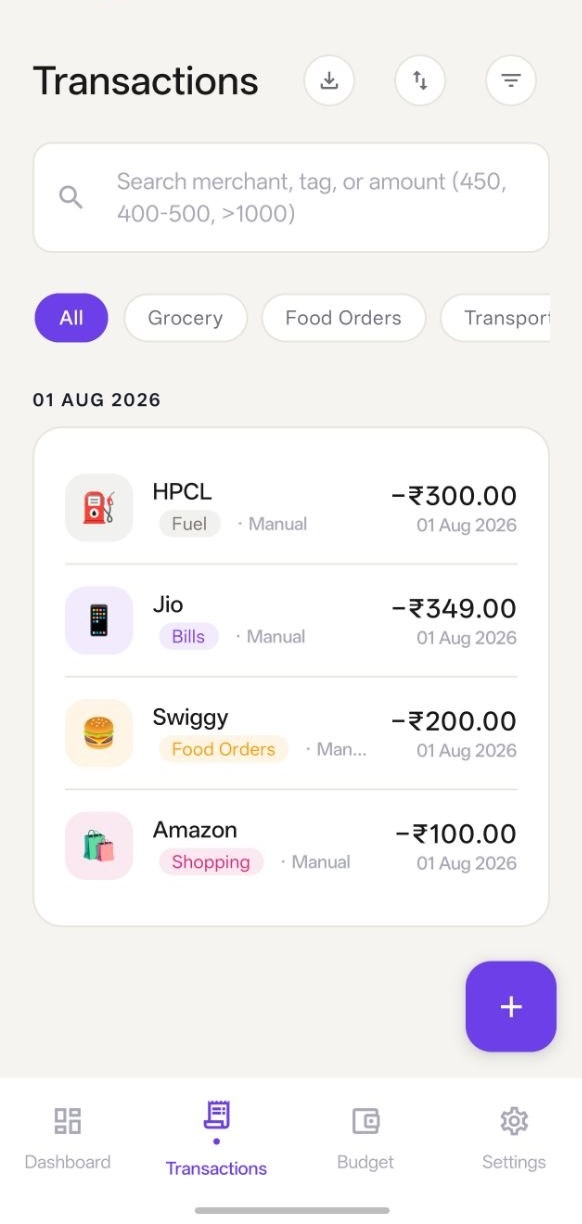
A new bank or UPI SMS is parsed the moment it arrives — amount, merchant, transaction type — and either written straight to your ledger or, if it's uncertain, staged for your review. The same pipeline runs a manual scan across your inbox history, so switching to Thrift doesn't mean losing last month's data.
02 — DASHBOARD
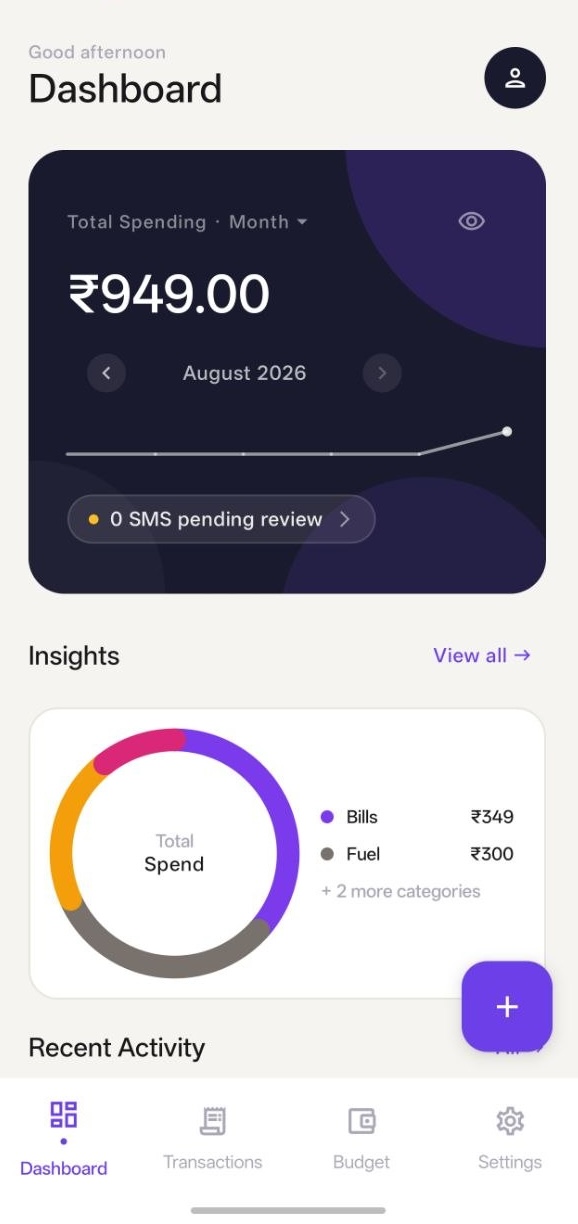
One screen, this month's whole picture
Total spend, a month-over-month trend line, a category breakdown, and anything still waiting for review — surfaced together instead of scattered across bank statements and app notifications.
03 — BUDGET
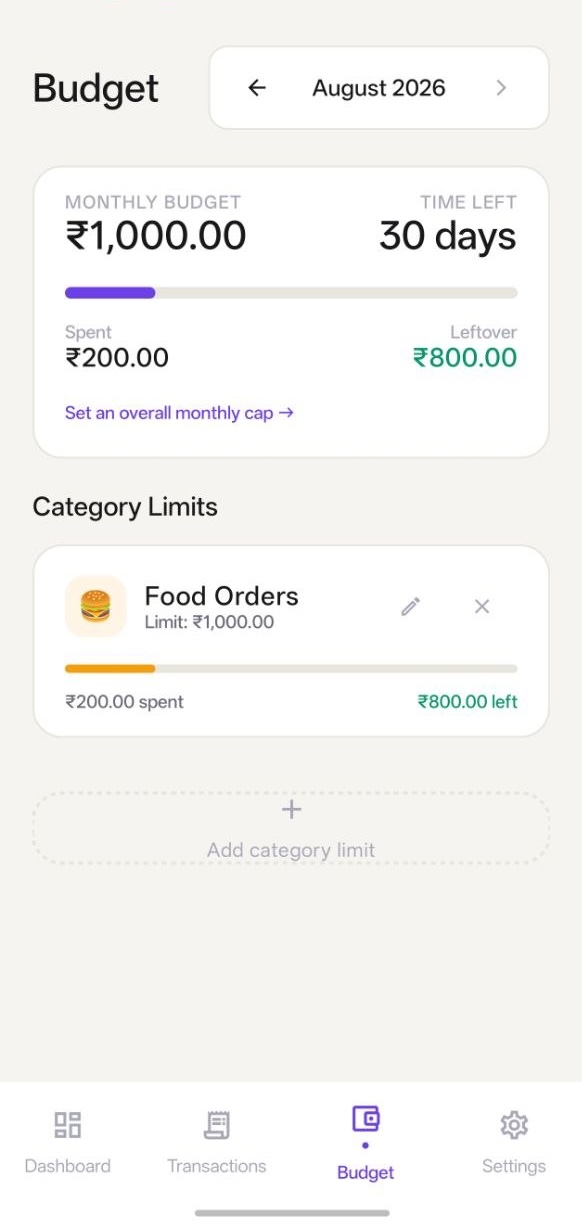
Caps that actually get enforced
Set a limit per category and one overall monthly cap. Thrift notifies you once at 80% and once at 100% — no spam, no repeat pings — and freezes each past month into a read-only snapshot so your history never quietly changes underneath you.
04 — REVIEW & RULES
Teach it once, it stops asking
Review queue
Low-confidence matches and every income deposit wait for your approval before they count as spending.
Merchant rules
Tell it once that a merchant is always "Groceries," and every future match is categorized on arrival.
Exclusion rules
Recurring noise — OTPs, promos, balance alerts — gets auto-archived before it ever reaches your queue.
05 — SECURITY & DATA
Nothing to leak, because nothing leaves
App lock
Fingerprint, face, or PIN over the whole app — re-locks every time it's backgrounded.
Encrypted backups
Manual or nightly backups, passphrase-encrypted, saved wherever you choose. Restoring merges rather than replaces.
CSV export
Your full ledger, exportable anytime, with dates and sources explained in a comment preamble.
Full detail on what's collected and why is in the privacy policy.